Artificial Intelligence
Integrate AI agents with the MCP Server
AI integration is becoming increasingly important for tech note-taking workflows.
Inkdrop has built-in AI features for writing and editing in the app, and it also provides an MCP server so the AI agent of your choice can read and write your notes and notebooks.
MCP Server
A Model Context Protocol server is a server that allows you to interact with AI models using a standardized protocol. Inkdrop provides an MCP server that enables AI integration with your notes.
It allows AI to search your notes, understand their context, and generate new notes based on your existing content.
Set up
Go to Preferences > Integrations on macOS or File > Settings > Integrations on Windows and Linux, then turn on MCP Server.
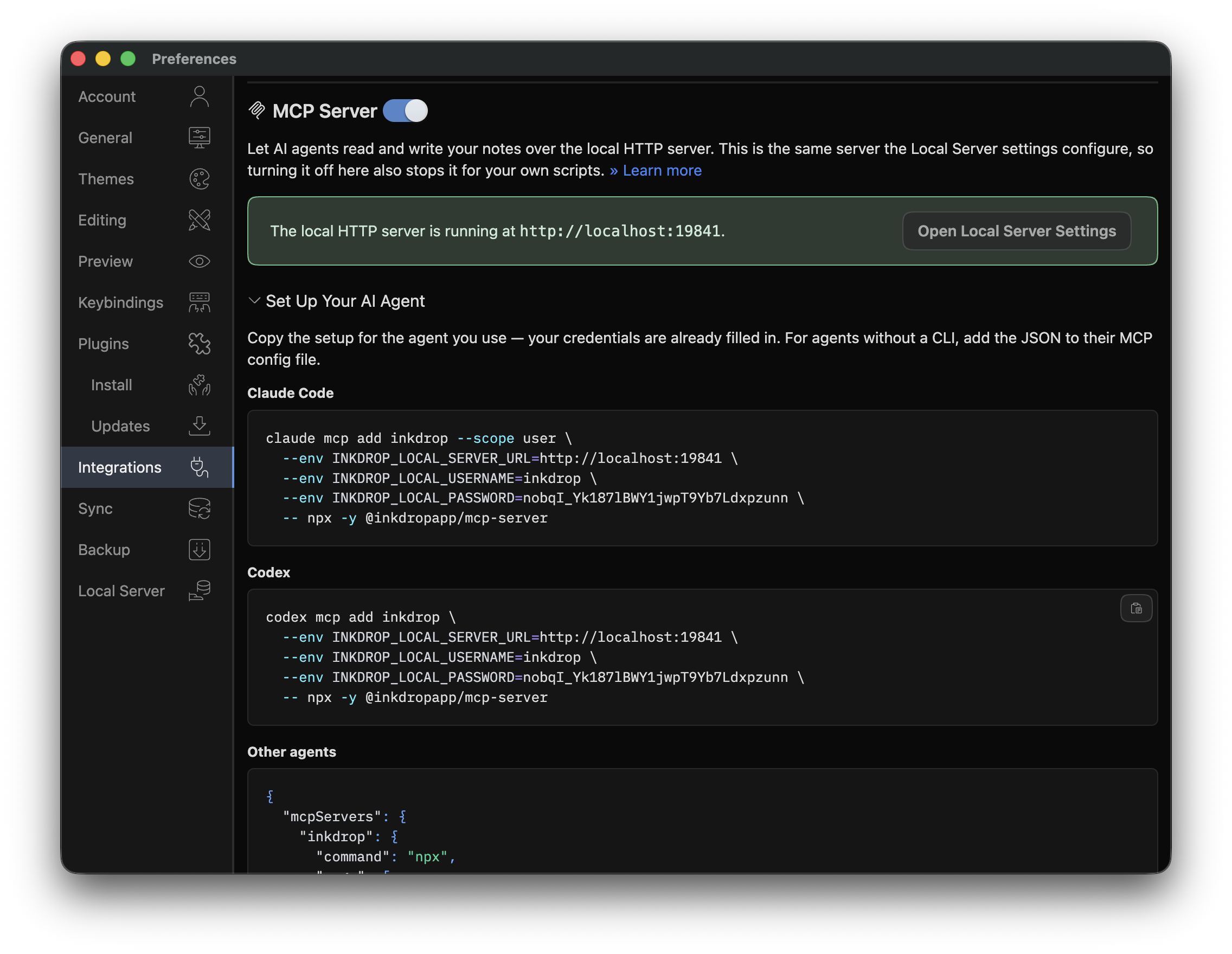
Turning it on starts the local HTTP server that the MCP server connects to, and generates a username and password for it if you don't have one yet. To change the port or the credentials, select Open Local Server Settings.
Now expand Set Up Your AI Agent and copy the setup for the agent you use. The commands shown there already have your own server URL and credentials filled in — the examples below use placeholders instead.
Claude Code
claude mcp add inkdrop --scope user \
  --env INKDROP_LOCAL_SERVER_URL=http://localhost:19840 \
  --env INKDROP_LOCAL_USERNAME=your-local-server-username \
  --env INKDROP_LOCAL_PASSWORD=your-local-server-password \
  -- npx -y @inkdropapp/mcp-server@latest
Codex
codex mcp add inkdrop \
  --env INKDROP_LOCAL_SERVER_URL=http://localhost:19840 \
  --env INKDROP_LOCAL_USERNAME=your-local-server-username \
  --env INKDROP_LOCAL_PASSWORD=your-local-server-password \
  -- npx -y @inkdropapp/mcp-server@latest
Other agents
Agents without a CLI need the server added to their MCP configuration file:
- Claude Desktop:
- macOS:
~/Library/Application Support/Claude/claude_desktop_config.json - Windows:
%APPDATA%\Claude\claude_desktop_config.json
- macOS:
{
  "mcpServers": {
    "inkdrop": {
      "command": "npx",
      "args": ["-y", "@inkdropapp/mcp-server@latest"],
      "env": {
        "INKDROP_LOCAL_SERVER_URL": "http://localhost:19840",
        "INKDROP_LOCAL_USERNAME": "your-local-server-username",
        "INKDROP_LOCAL_PASSWORD": "your-local-server-password"
      }
    }
  }
}
Tools
The MCP server lets an agent search, read, create and update your notes, notebooks and tags. For the tools it currently supports, please check out the repository.
Get help