New to Inkdrop
Note-driven agentic coding
AI coding agents are great at writing code, but they work best when they have a clear plan to follow. Inkdrop gives you and your agent a shared place for that plan: you write the requirements, the agent fills in the details, and you review every step in a note you can read at a glance.
The video above shows the whole loop on a real project: adding Liquid Glass support to KeyCastr.
Before you start
Your agent needs access to your notes. Set up these two first:
- MCP server — lets the agent read, create, and update your notes.
- Agent Skills — teach the agent Inkdrop's Markdown, and add the
fill-out-templateskill used below.
The workflow
One note per task, five steps:
- Create a note with the Implementation plan template
- Have the agent ask you questions for the decisions
- Review the phases
- Have the agent implement each phase
- Review the outcome
1. Create a note with the "Implementation plan" template
Create a new note and pick the built-in Implementation plan template from the Planning category (see Note templates).
- Write the requirements roughly. A few bullet points are enough.
- Link related notes, such as a bug report or a codebase exploration report.
- Tell your agent to fill it out via MCP:
> fill out [Support applying a custom theme via the plugin registry](inkdrop://note/xxxxxx)
The agent reads the note together with its template, explores your codebase, and writes the plan back into the note: decisions, implementation phases, and a status section.
Tip: Drag notes out of the app
You don't have to copy note links by hand. Drag notes from the note list into other apps, such as a terminal or a text editor, and they are pasted as Markdown links like [title](inkdrop://note/…). It works with multiple selected notes, too.
- Drop a note onto the editor to insert a link to it.
- Drag a notebook out of the sidebar to paste its name and ID (e.g.,
Accounting book:xxxx), so you can tell your agent where to create notes.
Here, a note and a notebook are dragged into Claude Code on the terminal:
Dragging notes out of the app requires Inkdrop desktop v6.2.0 or later.
2. Have the agent ask you questions for the decisions
The plan often includes decisions that only you can make. Tell your agent to ask you about them:

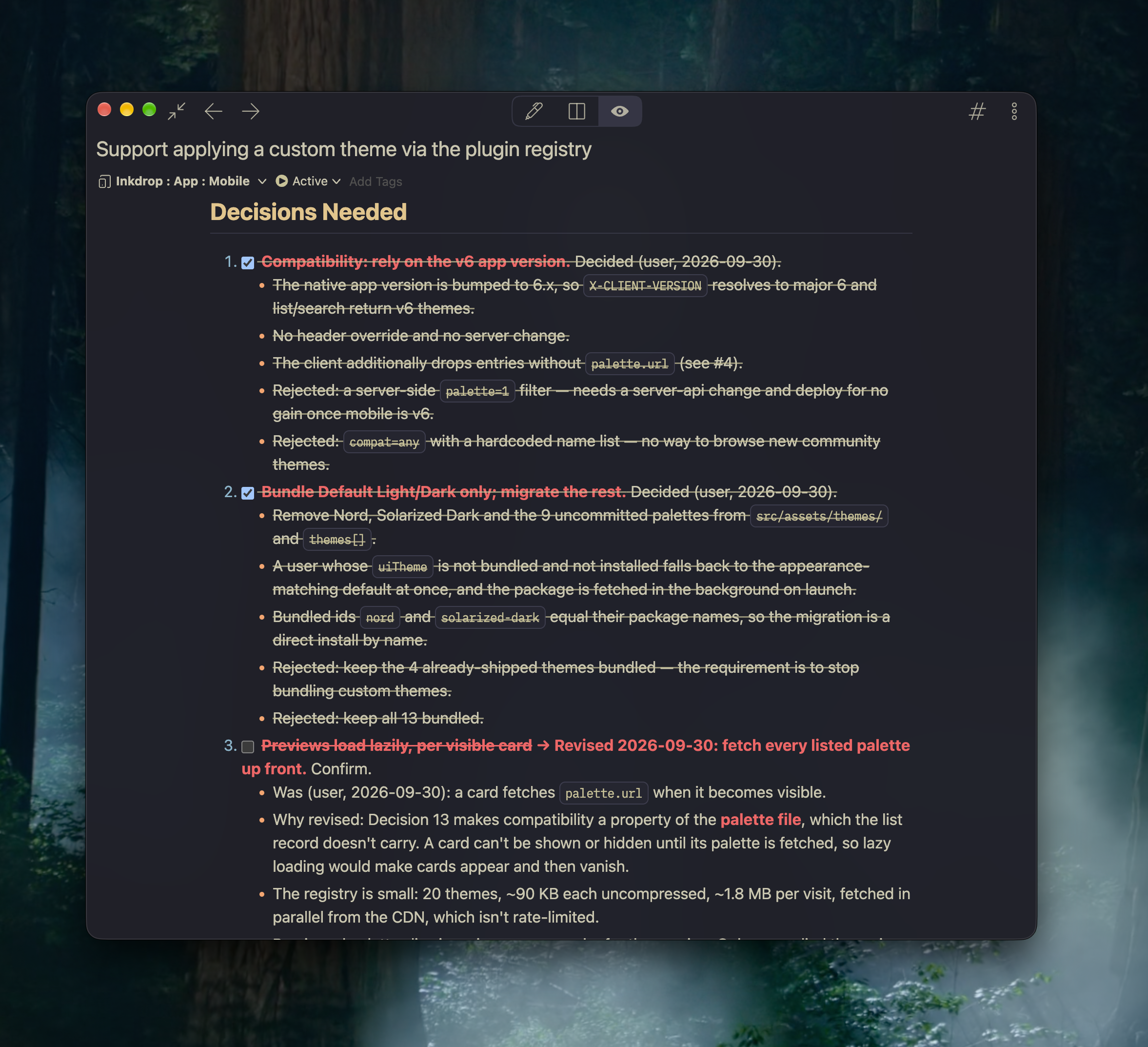
It suggests options for each question, and updates the Decisions Needed section with your answers. Settled decisions are checked off with the reason and the rejected options, so you can look back at why the plan looks the way it does:
3. Review the phases
Next, read the Implementation Phases section. Check:
- Which files will be updated or created
- Whether any points are missing
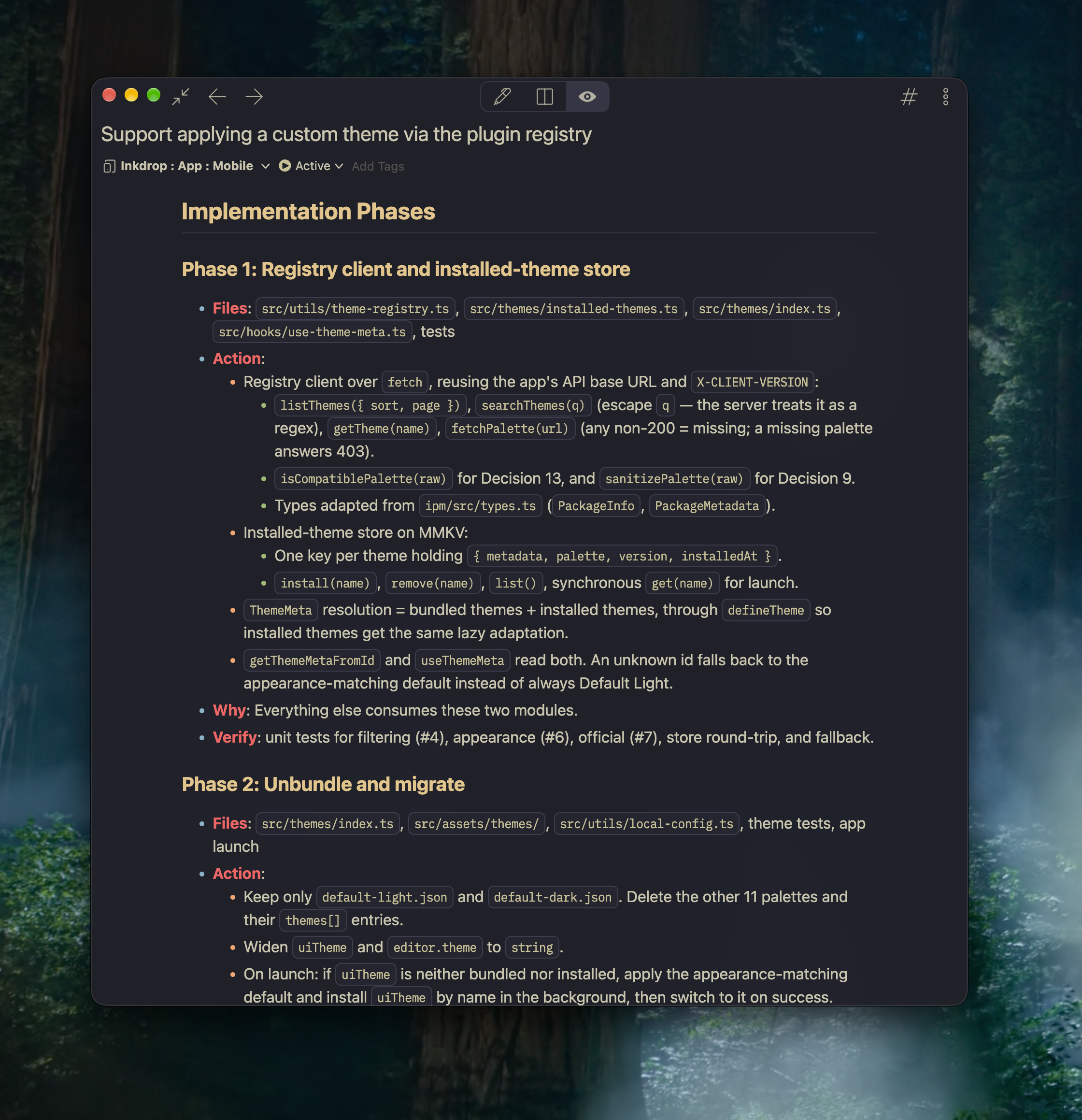
If something looks off, edit the note directly or tell the agent to fix the plan. Fixing a plan is much cheaper than fixing code.
4. Have the agent implement each phase
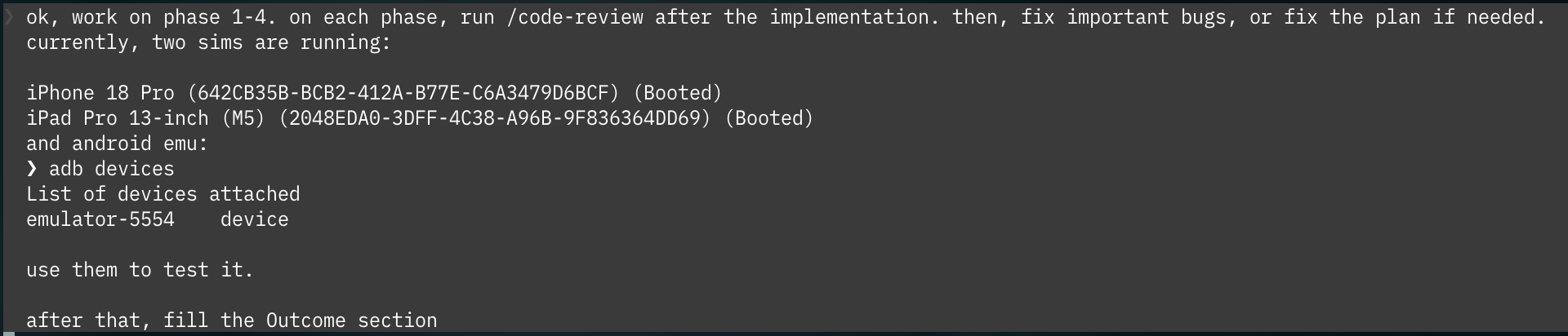
If you are comfortable with the plan, have the agent implement all the phases. Let it run a reviewer agent (like /code-review) after each phase and fix bugs, or change the plan if necessary:
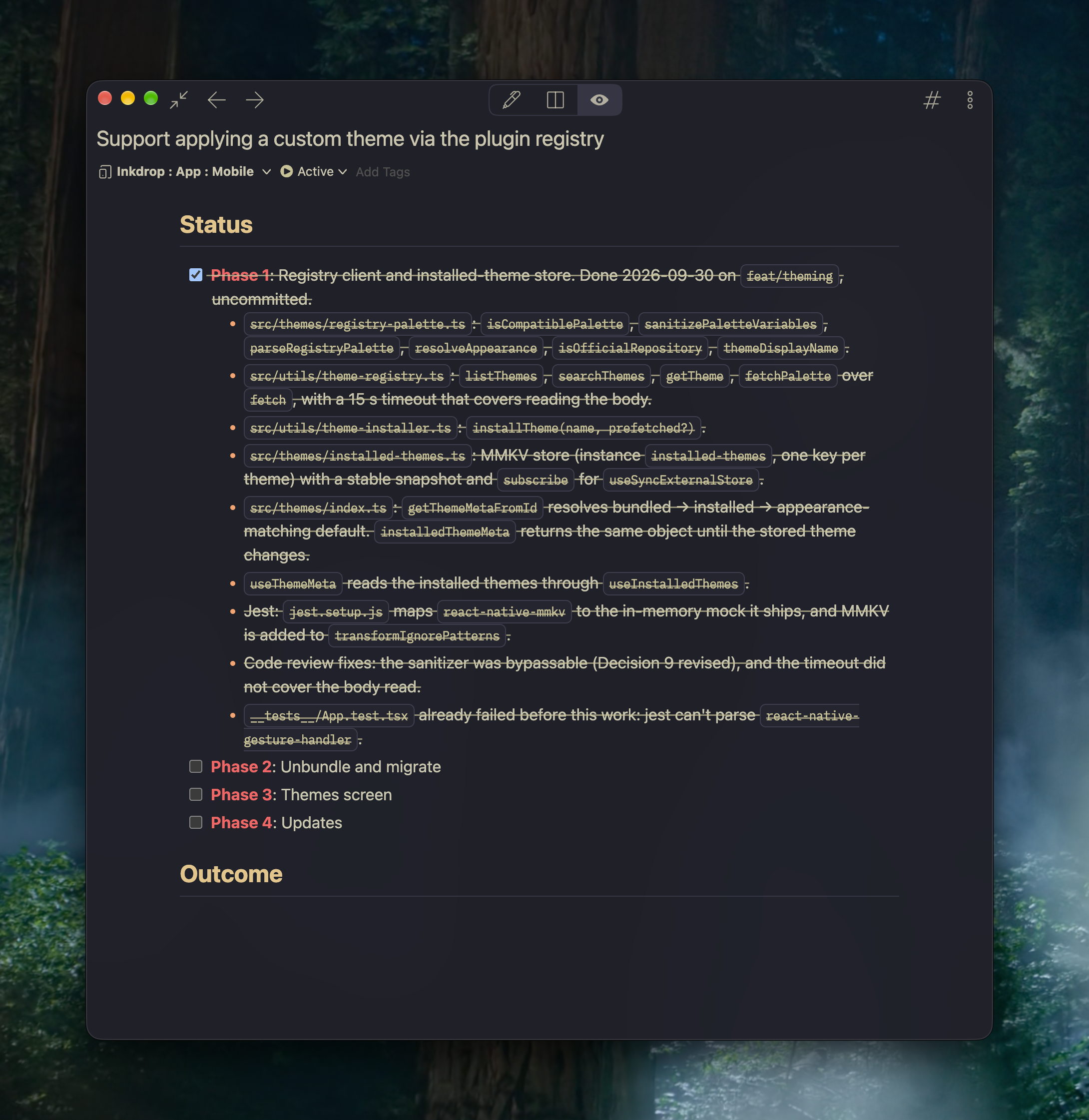
The agent updates the Status section after finishing each phase, so you can watch the progress right in Inkdrop:
5. Review the outcome
When the agent is done, it fills the Outcome section. Check:
- Did it finish all the phases?
- Were there any blockers or deviations from the plan?
- Is anything left for you for the next loop?
Then adjust the code manually if necessary. The note stays as a record of what was built and why, which is handy when you come back to the code months later.
Example: start from a codebase exploration
On an unfamiliar codebase, explore it before planning. In the video above:
- Create a note from the Codebase exploration template.
- Have the agent fill it out after analyzing the codebase.
- Create a note from the Implementation plan template.
- Write the requirements, and add a link to the codebase exploration note.
- Have the agent fill it out.
- Answer its questions.
- Review the implementation plan.
- Have the agent implement each phase.
- Adjust the code manually (if necessary).
The exploration note gives the agent the context it needs, and you can reuse it for the next task on the same codebase.
Get help