New to Inkdrop
How to maximize your productivity with tech note-taking
Hi, there. My name is Takuya Matsuyama, the author of Inkdrop. Note-taking is one of the key habits that significantly boosts my productivity. Every day, in my engineering process, as I learn new technologies, debug my code, add new features, and so on, I use Inkdrop to take notes. So, I'd like to share how I use my own product for tech note-taking.
The right tool for the right task
I am a firm believer in the importance of using the right tools for the right tasks.
I prefer using a screwdriver over a swiss-army knife because bloated tools tend to be sluggish and their features are often elusive to locate and understand. I also personally love simple and clean UIs. Note-taking is not an exception here. I don't have a central tool where every piece of information is stored.
When it comes to coding, I prefer taking notes in Markdown, which is the most widely adopted text format for writing readme files and communicating on platforms such as GitHub and GitLab. Markdown is a simple format that can include code snippets like this:
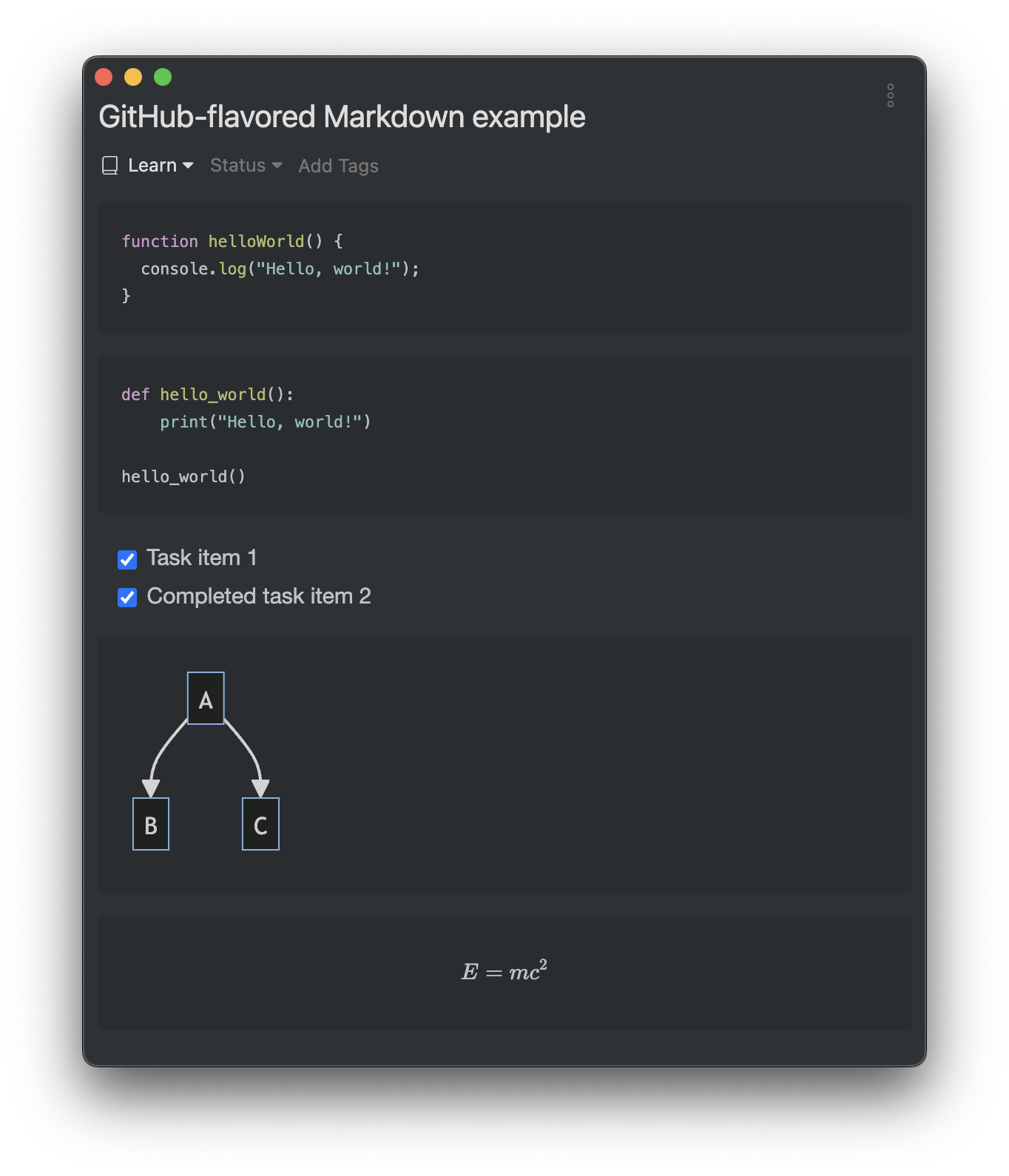
This feature makes it especially handy for note-taking while coding. So, using Markdown for note-taking feels pretty natural. However, it isn't the best choice when you need to incorporate a large number of images, videos, audio, tables, or other types of content. Rest assured that Markdown would be a screwdriver for tech notes. Thanks to the constraint, I can avoid adding topics that aren't related to coding, like shopping wishlists, travel venues, etc. That lets me keep my notes simple and organized. It significantly reduces the time it takes to switch between tasks.
That's why I designed Inkdrop to be a dedicated place to assist the engineering process through tech note-taking.
Being the note app creator doesn't mean that I use it for everything
Notion is one of the popular note apps, so I use it to share the manual with my back office agent. For non-linear notes like moodboards, I prefer to use apps like Milanote. The right tools for the right tasks.
Design for productive failure
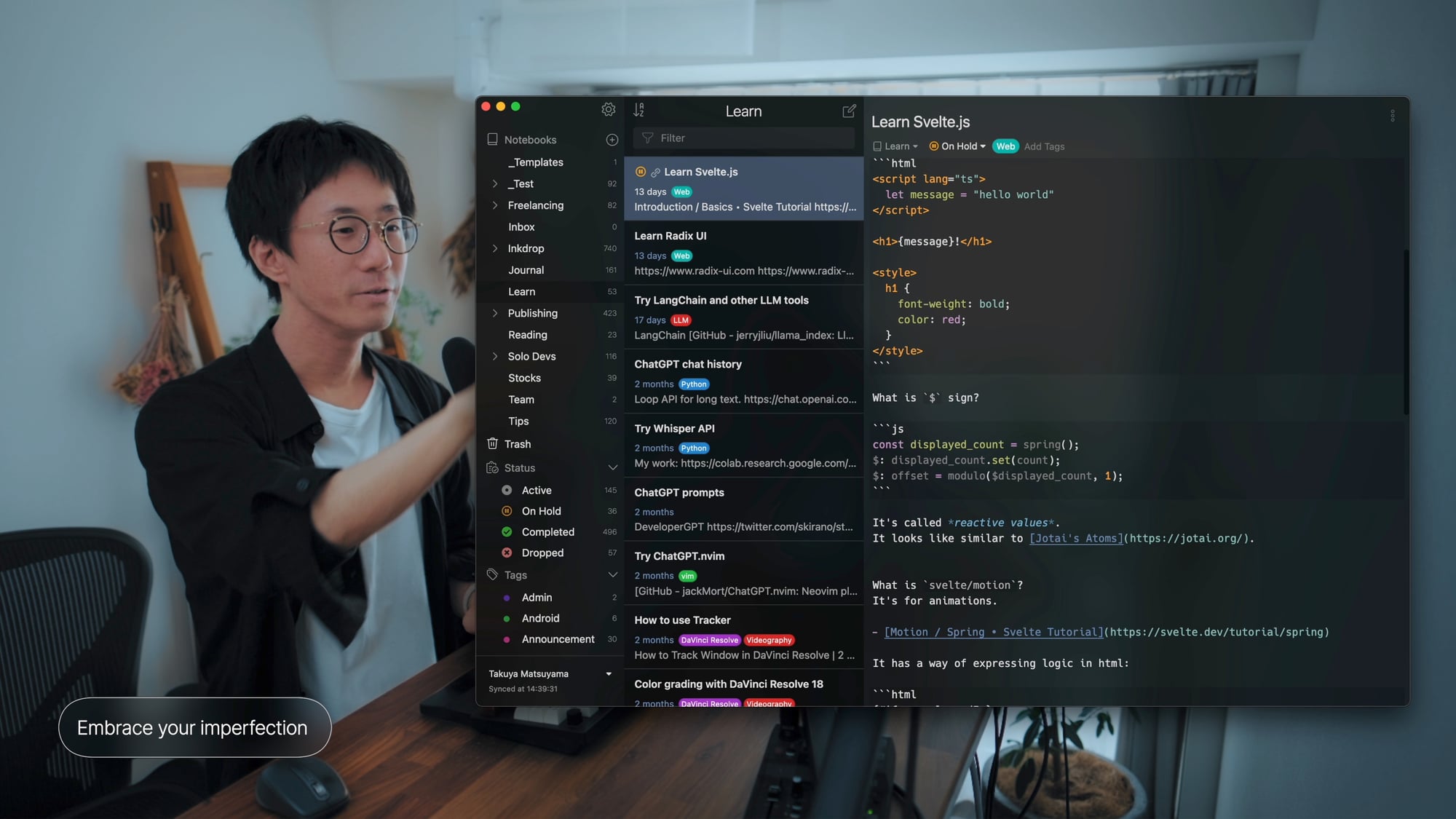
When taking notes, you might be tempted to create perfect ones - akin to constructing a beautifully organized and completely structured knowledge base. I've given up on that approach, finding it to be virtually impossible. Most of my notes are cluttered, unstructured, and incomplete, and that's fine. They are roughly organized with notebooks, tags, and statuses.
They're like entries in a sketchbook; I draw things as freely as they appear in my imagination. So, essentially, I jot down what's currently buffering in my brain when coding. I don't want to invest unnecessary time and effort in maintaining my notes. It's more important to focus on solving the problem at hand. In tech note-taking, perfection is not the goal, progress is. So, jot down as freely as you would in a sketchbook.
Embrace your imperfections. You make mistakes. You forget things. Rather than striving for perfection in your tech note-taking, approach it casually. By doing so, your failures become productive failures. You can learn from them, and here is how.
Four steps for taking tech notes
In the world of software development, our day-to-day life revolves around identifying problems, referring to API docs, sketching out solutions, diving in and implementing those solutions in code, then checking the results, learning from our blunders, and finally, making better-informed decisions. This cycle can be broken down into four key stages:
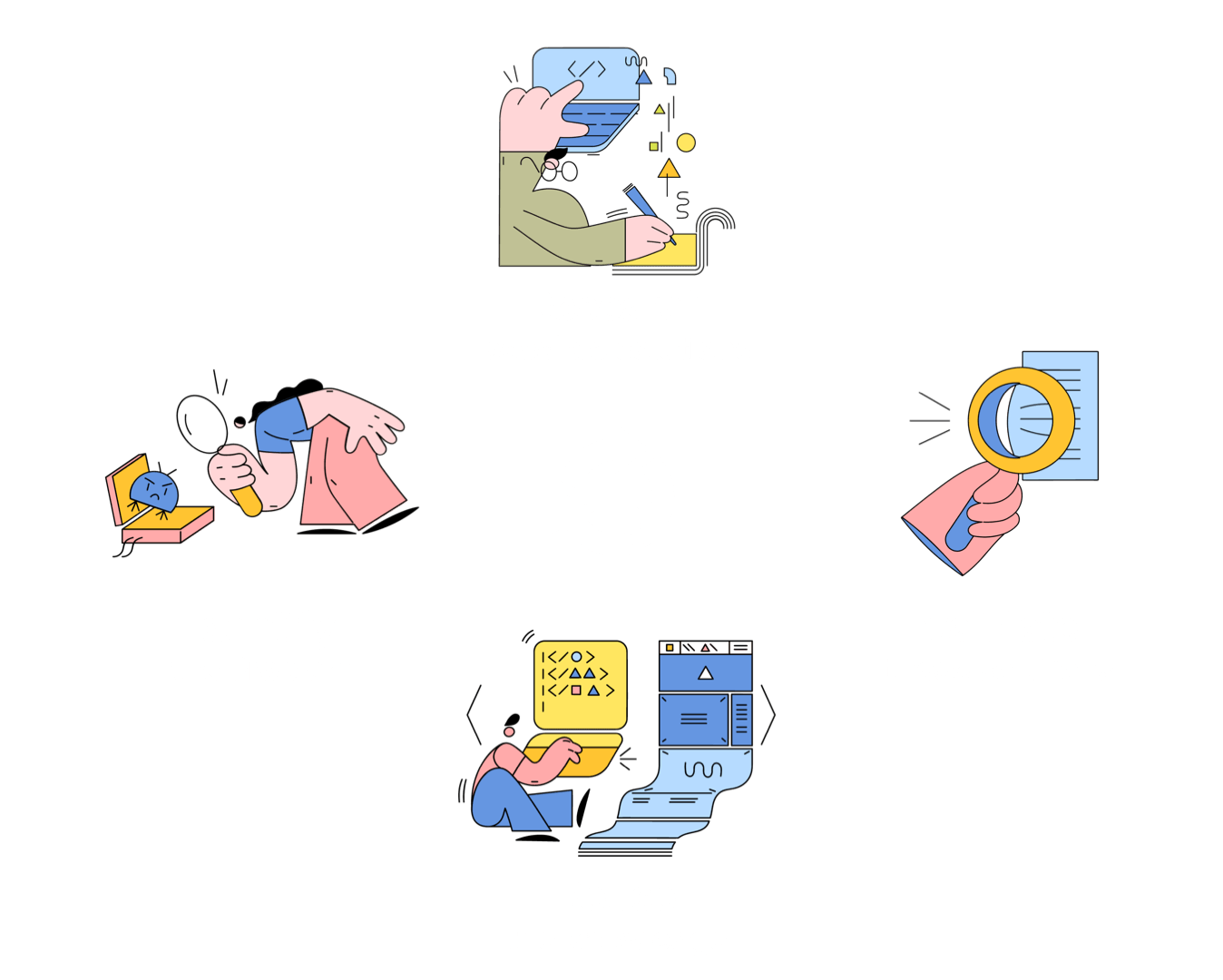
This whole cycle is quite similar to what's known as the PDCA cycle – Plan, Do, Check, Act – a four-step approach for continuous learning and improvement. When I navigate through each of these stages, I make it a point to take notes. Now, let's dive into some real-life examples from my own tech note-taking process.
1. Identify the problem
No matter if it's dealing with a bug, enhancing existing code, implementing new features, or facing issues, everything starts with identifying and understanding the problem.
Sometimes I get bug reports on the user forum, or I might even stumble upon bugs myself while using my app. When this happens, I immediately note down the specifics – stuff like error messages, stack traces, screenshots, and anything else that helps capture the essence of the issue. For instance:
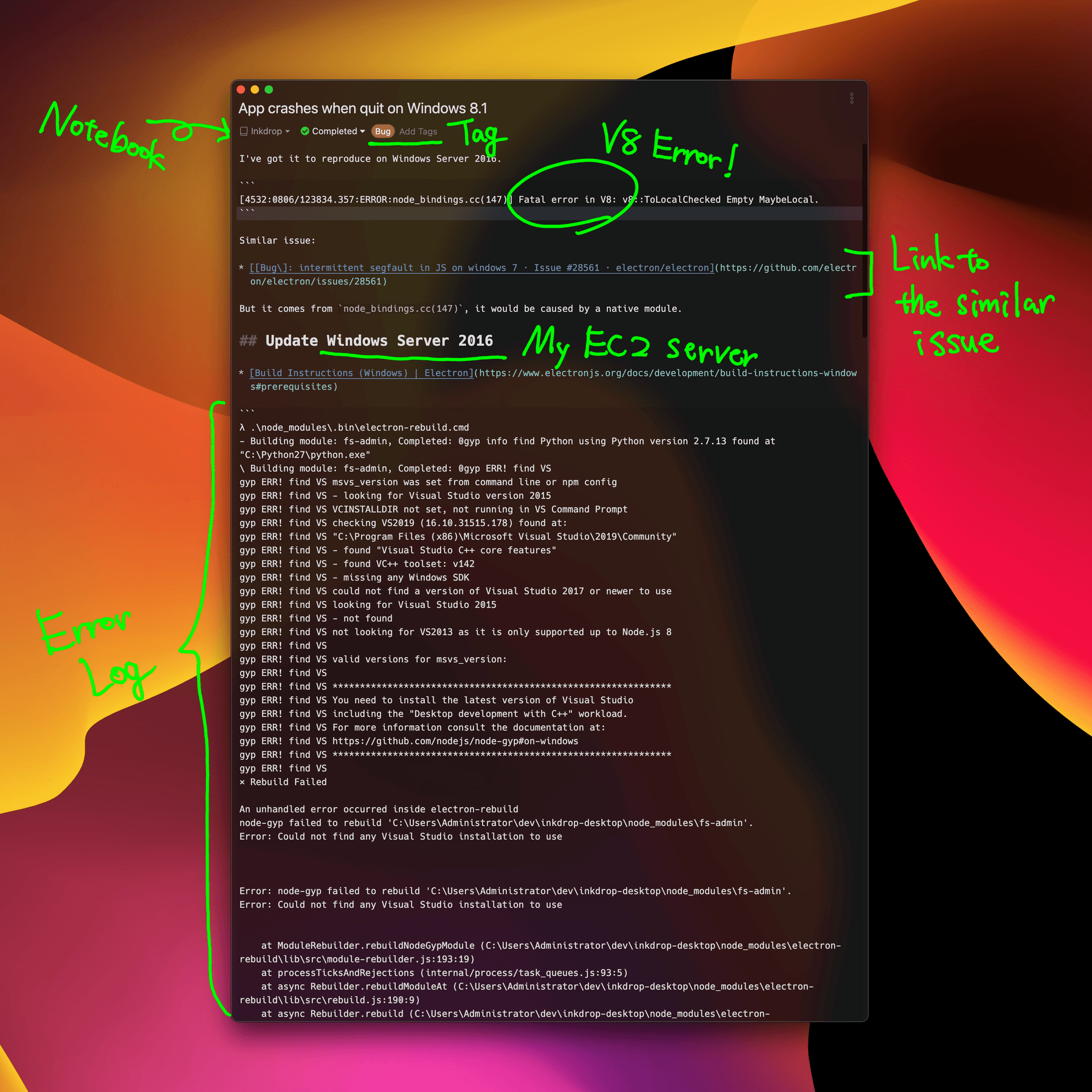
Ex. App crash bug
There was this one time when the desktop app kept crashing upon quitting on Windows 8.1. It was weird because it didn't happen on Windows 10. So, I wrote down the error and steps I took to reproduce it like this.
- According to the error log, it was a fatal error in V8
- Added a link to the similar issue on Electron
- Found that it comes from
node_bindings.cc, so it might be caused by a native module. - After that, I started investigating the issue
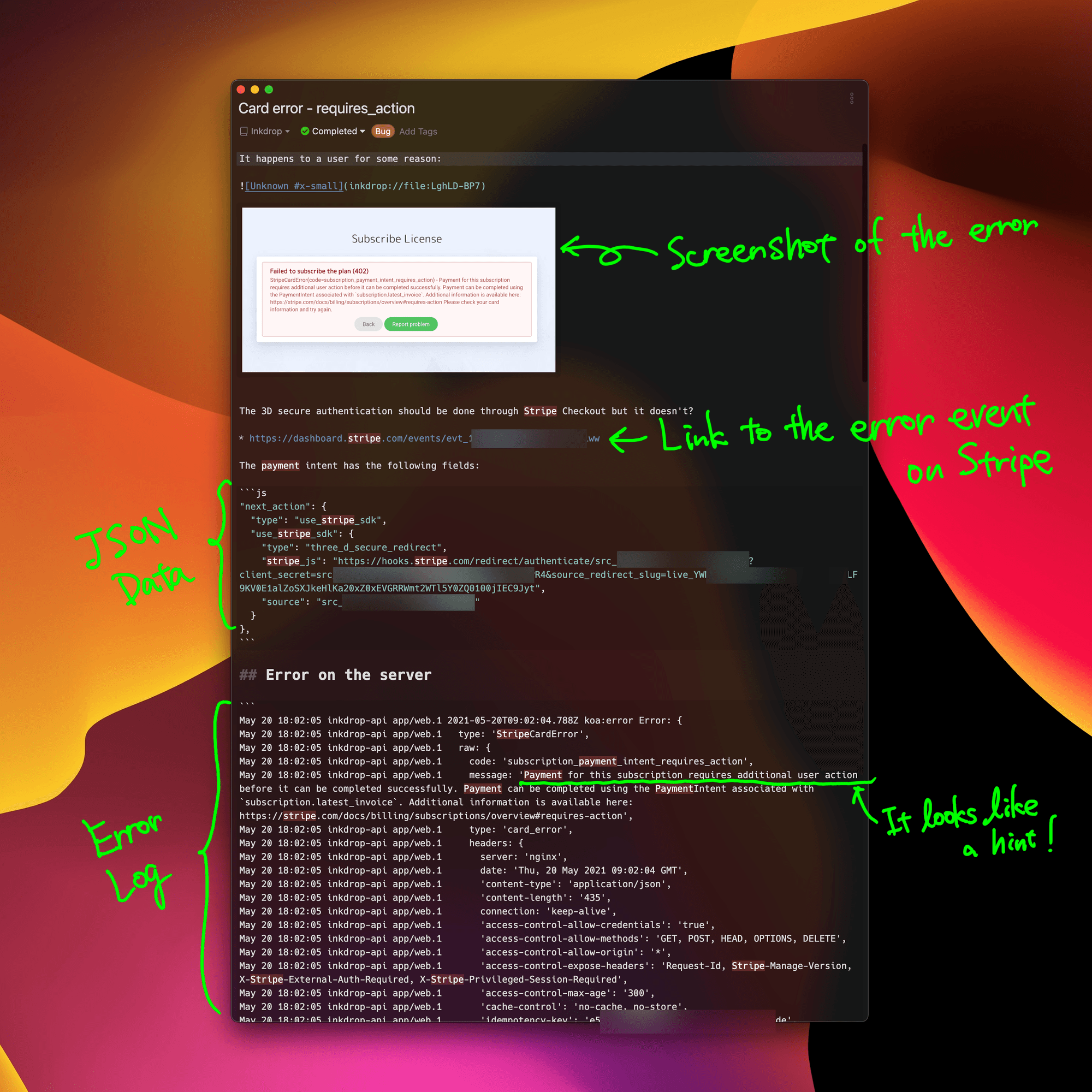
Ex. Payment issue on Stripe
Another time, I dealt with a bug causing card errors to some customers. I managed to reproduce it, took a screenshot, and pasted it in my note.
- I took a screenshot of the error message on the payment page
- I was not sure what was causing the error at that moment
- When I looked into the error message closely, I noticed that it was due to the 3D-secure authentication.
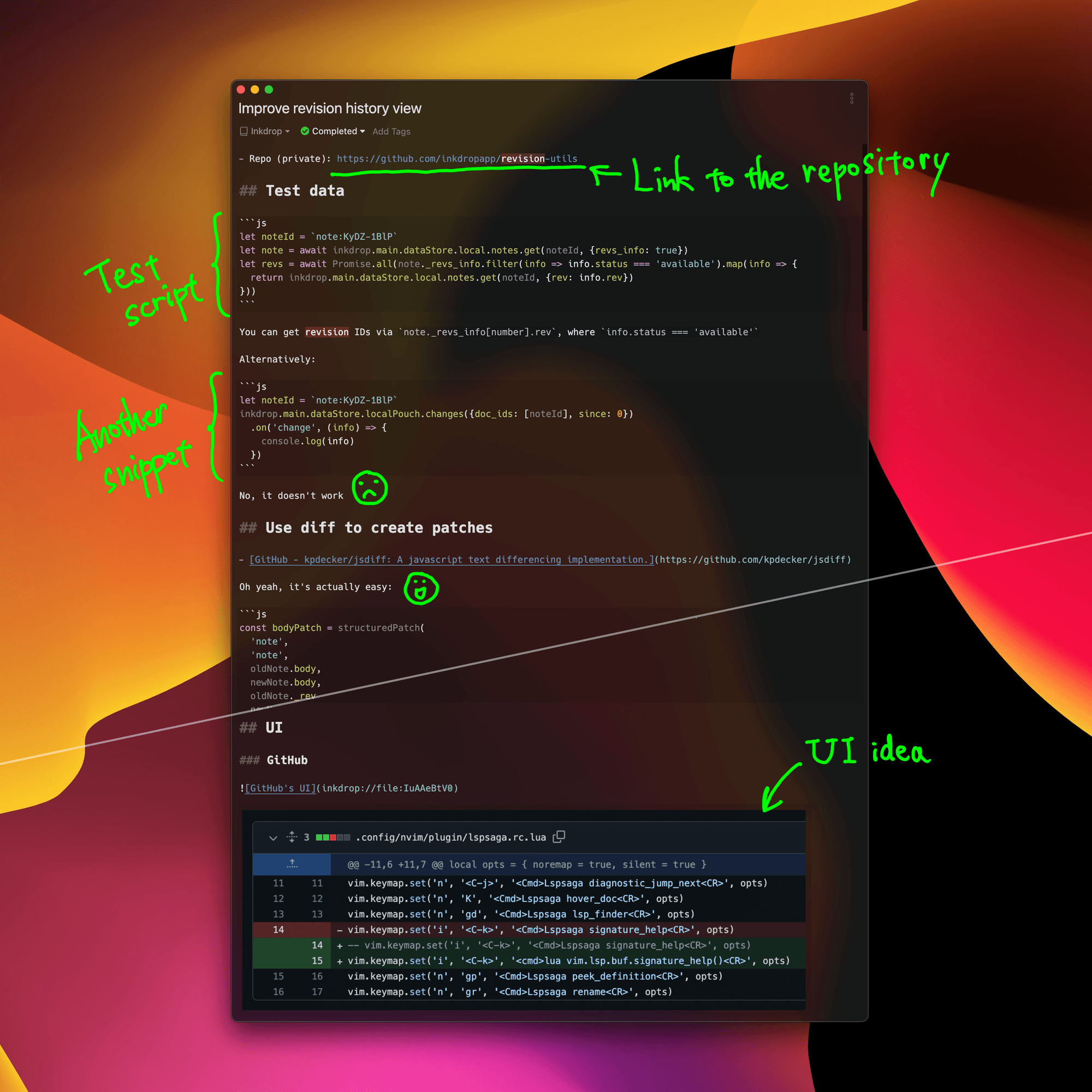
Ex. Adding a new feature
When I come up with new features, like the revision history view, I capture my thoughts in notes. In this particular note, I've linked the new internal module repository, written down some test scripts, and even dropped in a screenshot of GitHub's UI as a point of reference.
2. Research the possible solutions
Okay, so after identifying the problem, the next step is digging into potential solutions. This is where I start exploring promising libraries, tools, or even scouring StackOverflow answers and related GitHub issues. I take notes about all these things.
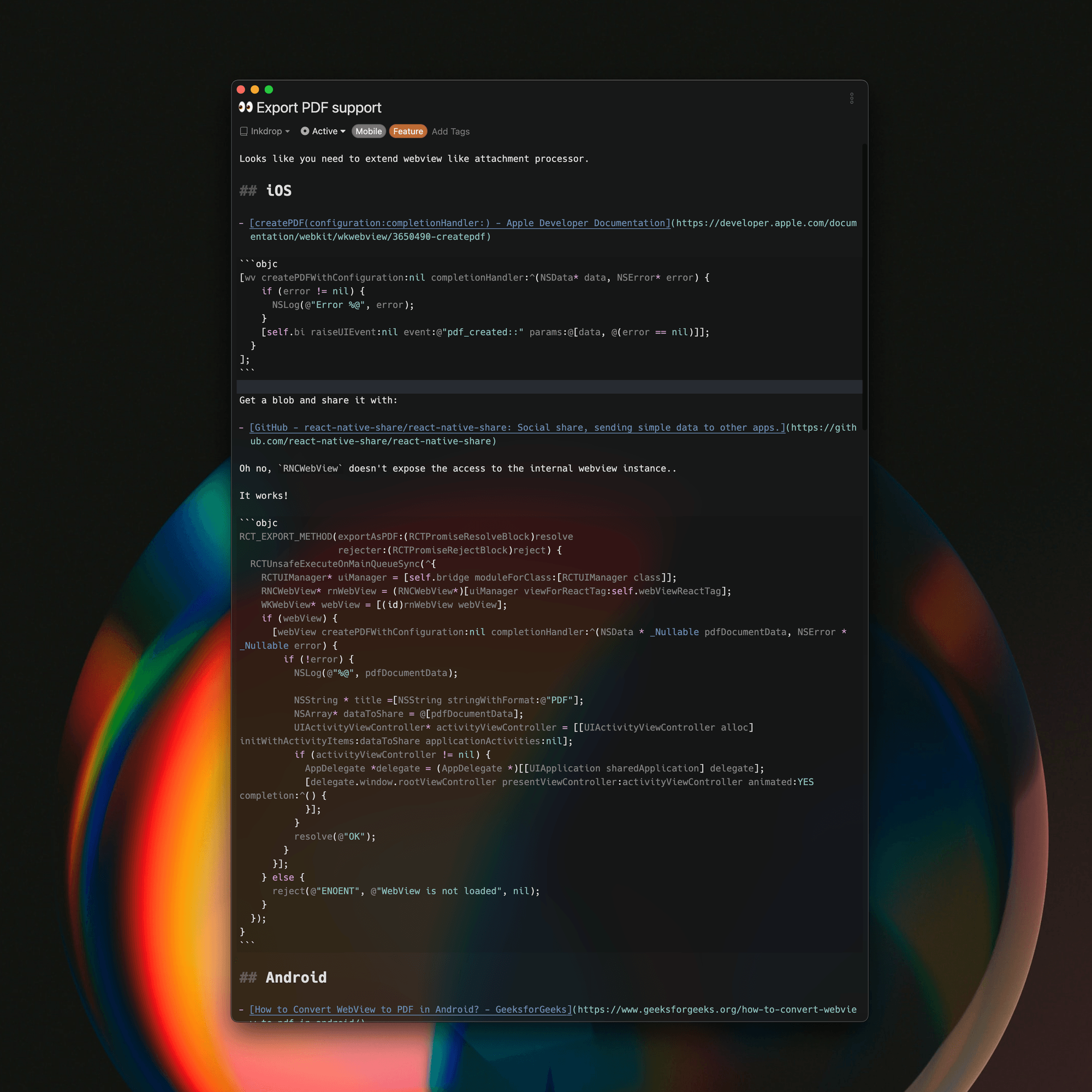
Ex. PDF export feature
For instance, I'm currently thinking about adding a feature to export notes as PDFs. Now, that's going to need native implementations on both Android and iOS. So, I started doing some research on the APIs and modules that could help me achieve this, and wrote down some snippets as I explored them.
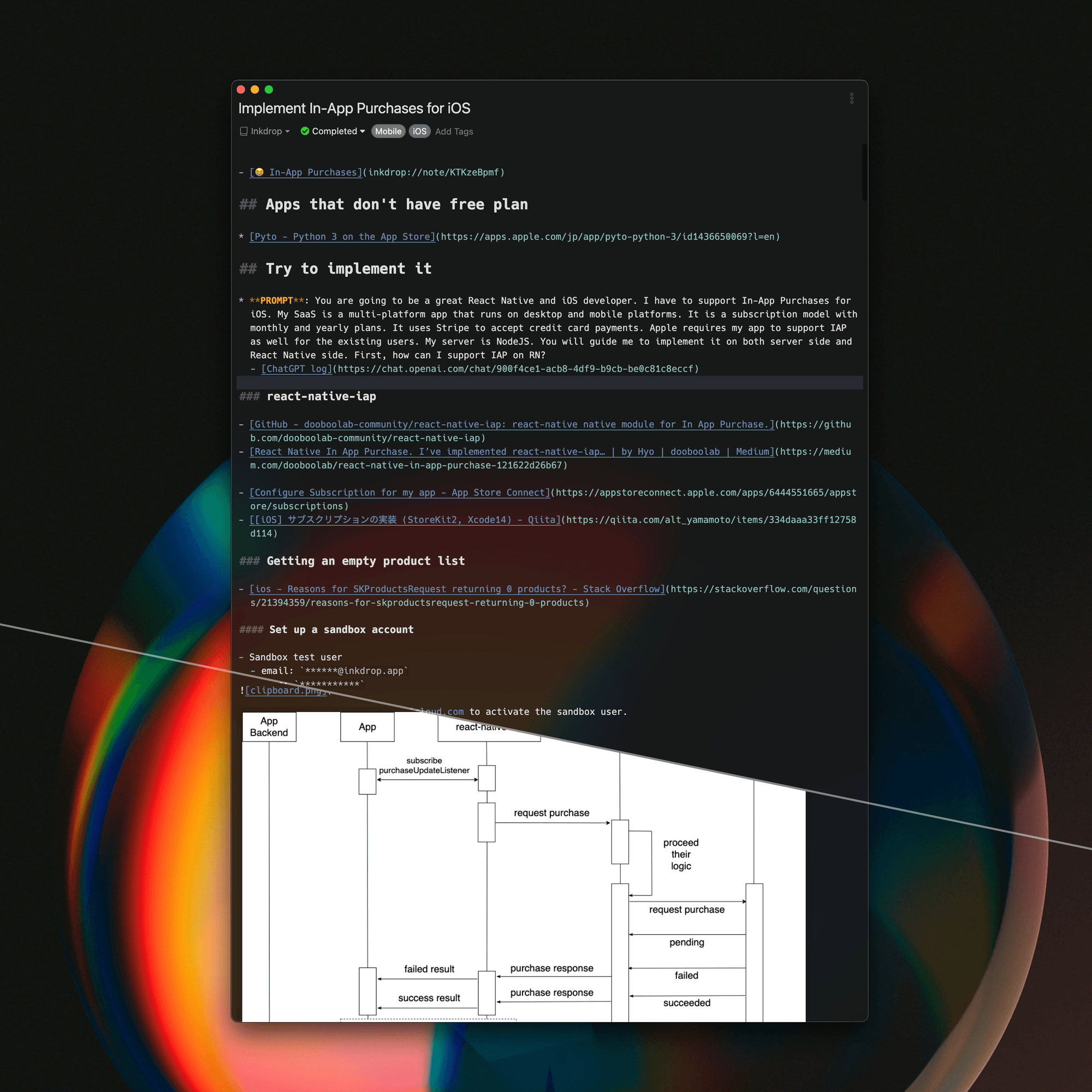
Ex. In-App Purchases
Take a look at this note on implementing In-App Purchases for iOS. You'll see a library I found promising: react-native-iap. I've also linked Apple's documentation and some blog posts about using StoreKit2. Plus, there's a handy sequence diagram detailing the business logic for the purchase flow.
- A link to the similar app
- A ChatGPT prompt memo and the chat history link
- Useful articles and promising libraries
- A sequence diagram on the business logic
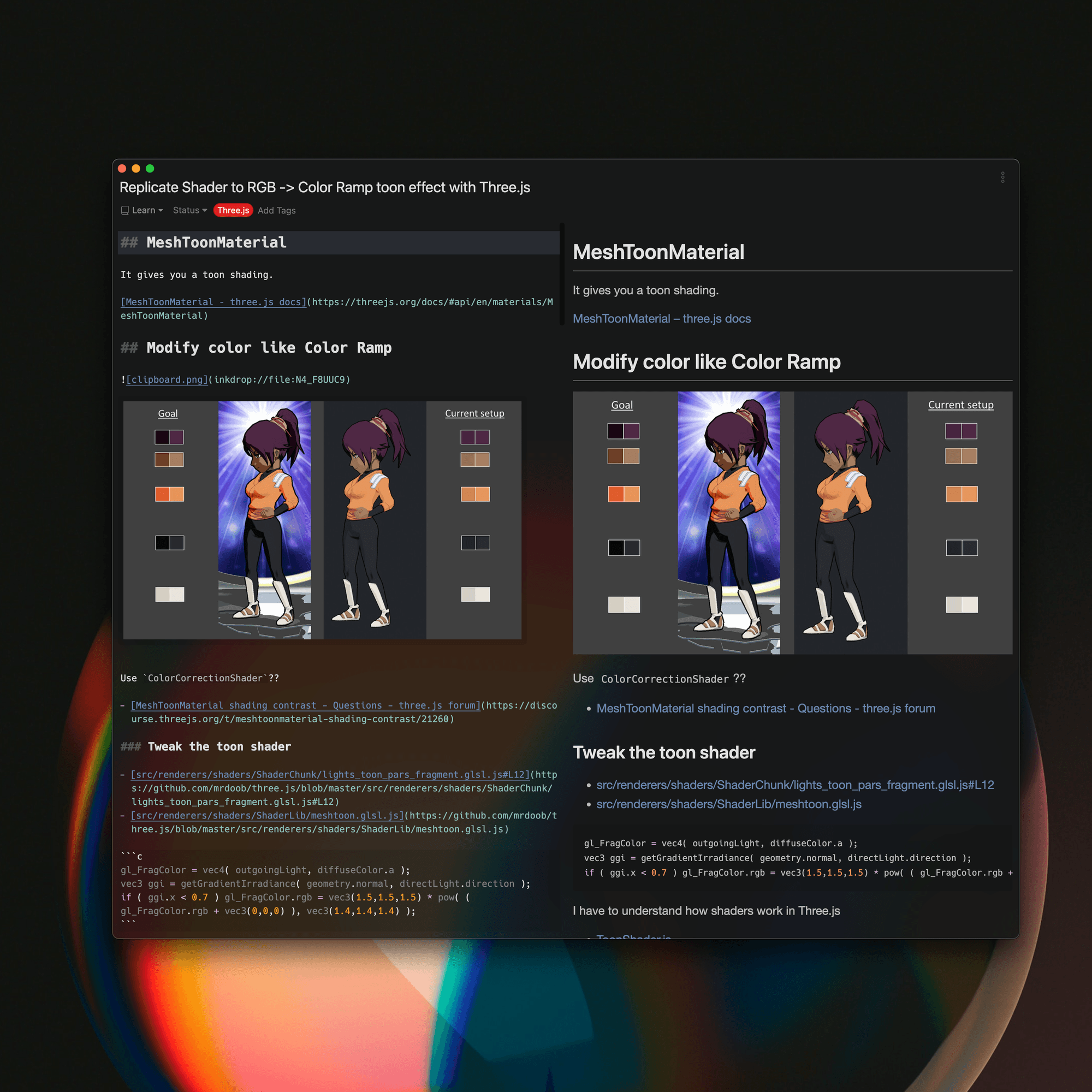
Ex. Learn Three.js
I've been really into ThreeJS lately, so I've filled a bunch of notes about it, like this one. So, I often take notes when learning new technologies.
Learning new technologies
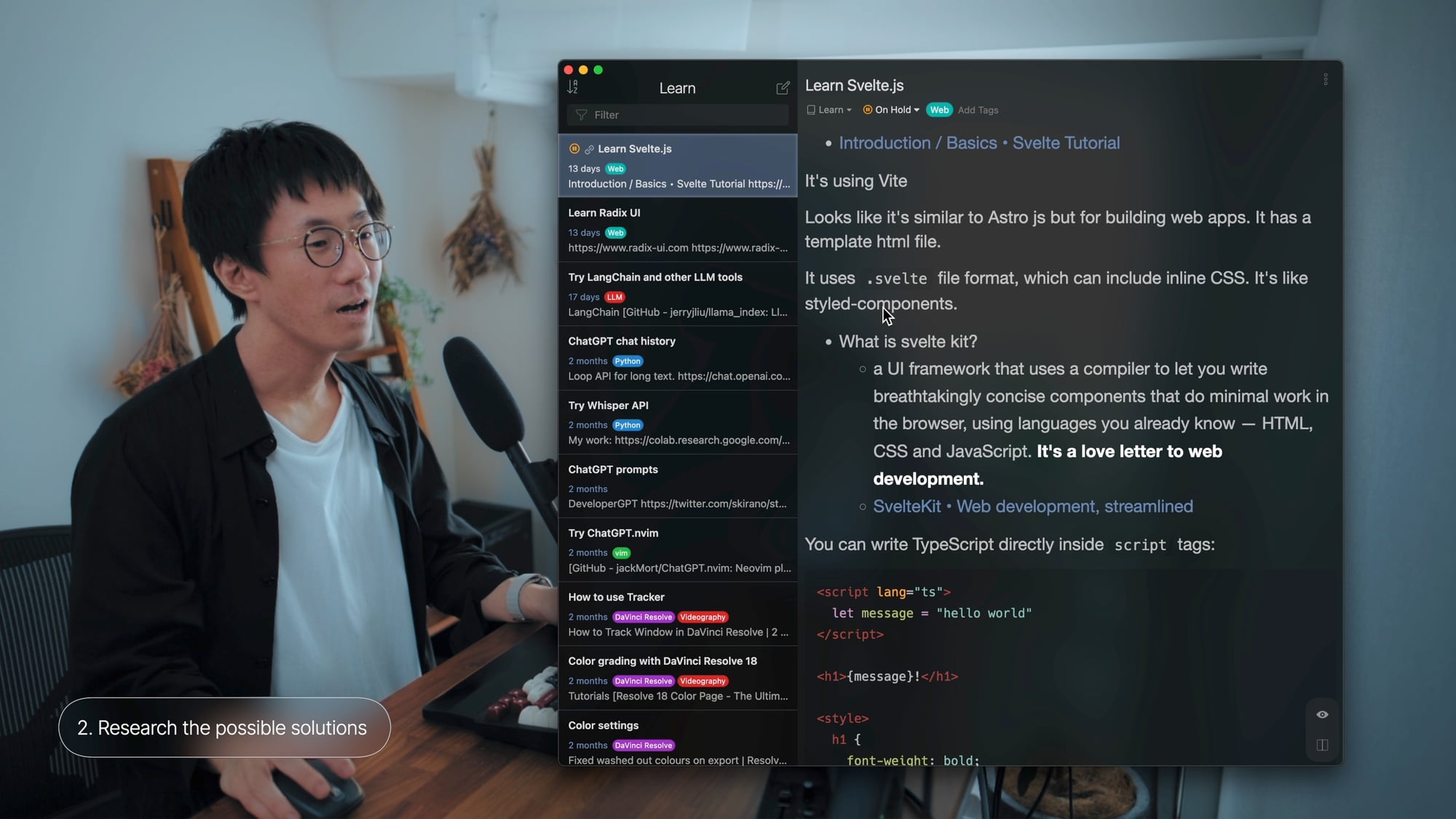
I also have a whole lot of notes in my Learn notebook. It's filled with stuff about libraries I want to try out, like SvelteJS, Radix UI, LangChain, Whisper API, and so on. Plus, there are even some notes on how to use DaVinci Resolve 18, which is not related to coding though since I am a video content creator, too.

3. Validate the solutions
Once I've researched potential solutions—or even while I'm still in the process of researching—it's time to roll up my sleeves and start implementing them to see what works, what doesn't, and why.
During this phase, my notes become a dynamic coding journal, capturing the snippets of code I'm trying, the output results, the additional insights I gather along the way, and so on. This record of my journey can be immensely helpful. Let me share a few examples:
Ex. Build a native editor based on CodeMirror 6
There was the time I attempted to build a native editor based on CodeMirror v6. That turned out to be quite a challenge. I documented all the planned features, the bugs I encountered, insights into CodeMirror's internals, and more in this long long note. While I didn't manage to make it stable enough for production, this note helped me understand the challenges of building a native editor on React Native.
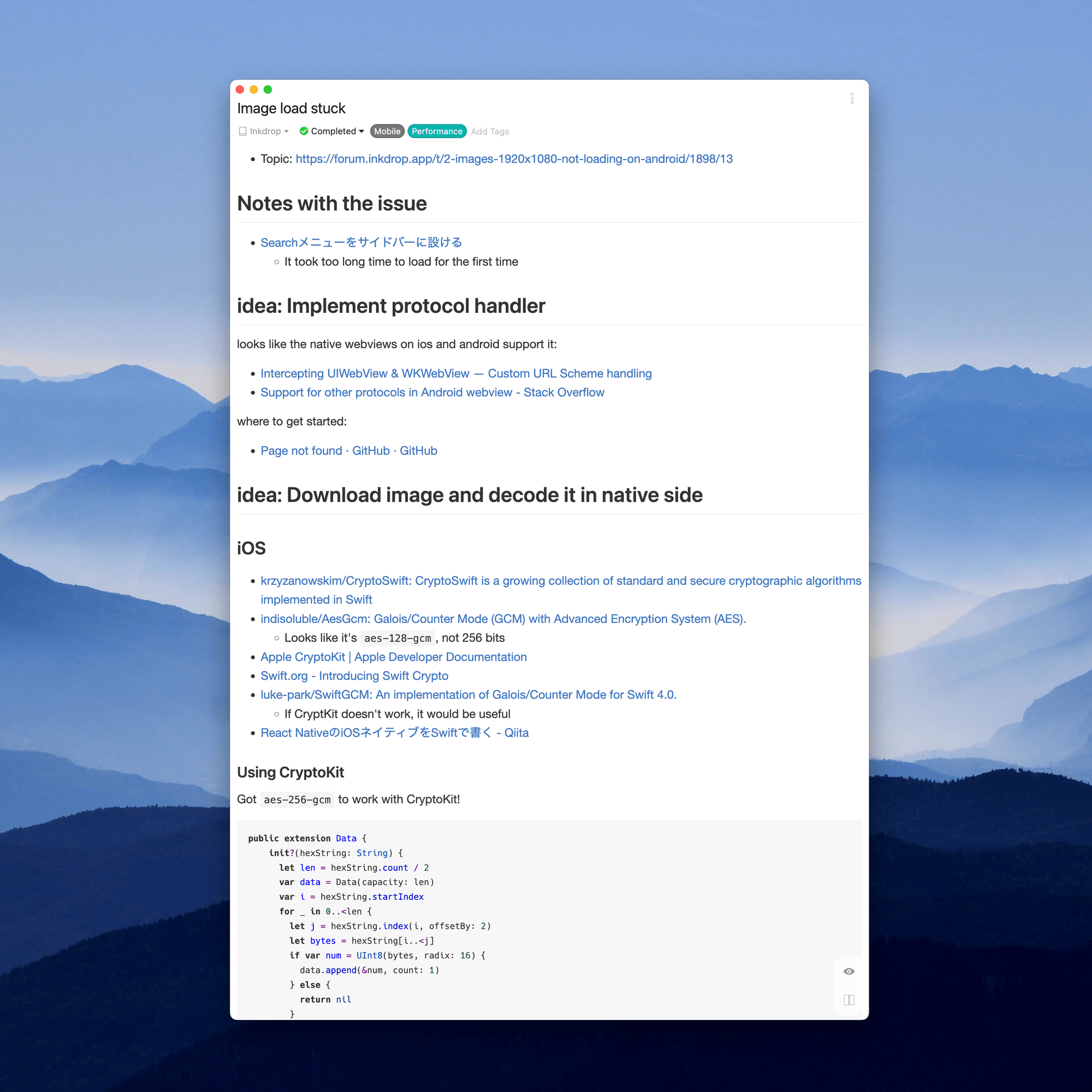
Ex. Image load stuck
There was a bug in my mobile app where it would get stuck while loading a large image. I brainstormed and researched potential solutions, documenting my thoughts in this note.
I noted down some ideas I came up with, like implementing a custom protocol handler and downloading image and decoding it in native side I was trying CryptoKit to decode data on iOS.
Eventually, I decided to implement a custom native module. The entire process of building this module was detailed in another note. This record of the problem, the potential solutions, and the final successful approach now form a valuable part of my knowledge base. I can refer back to understand why I chose this solution in the future.
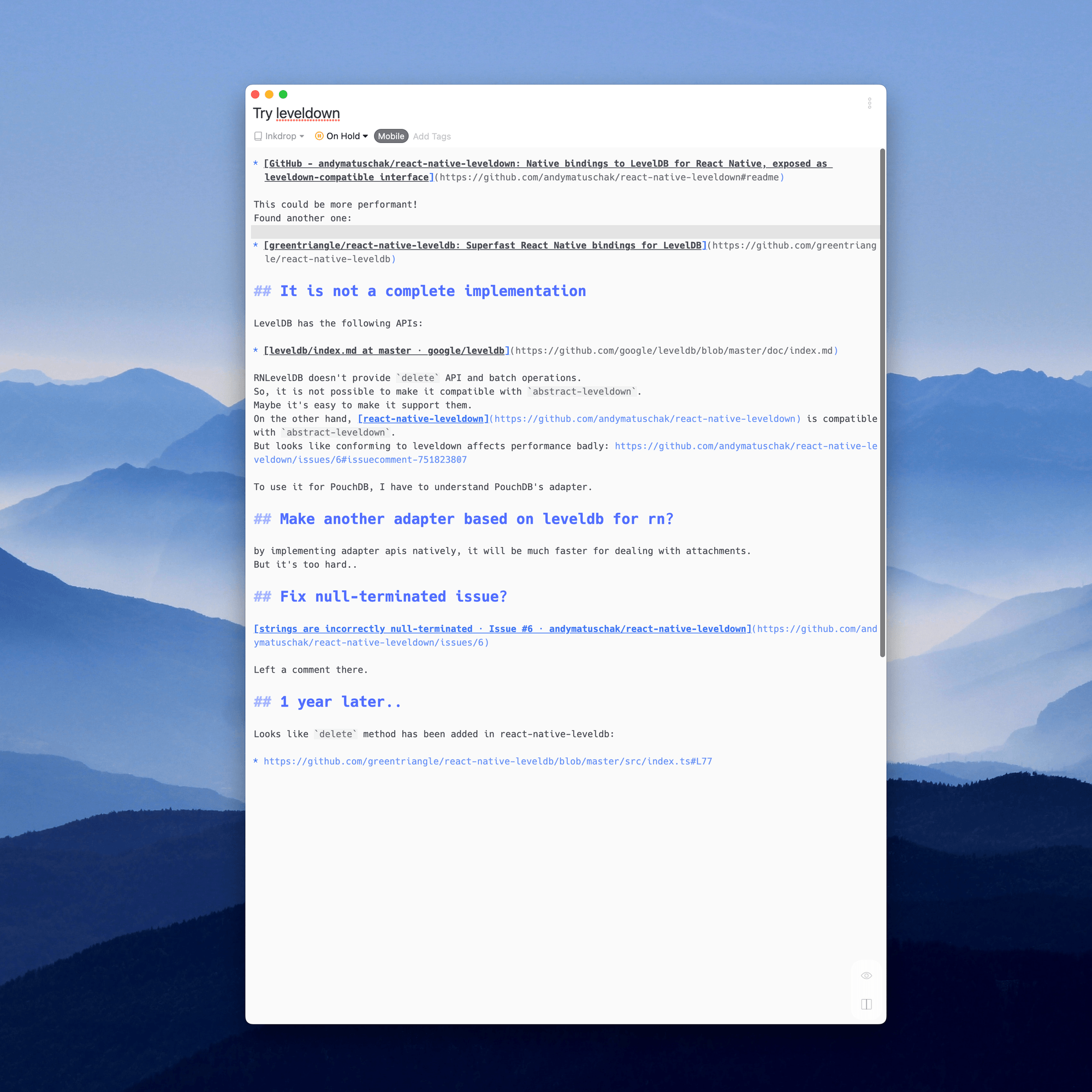
Ex. Consider switching the database engine
On another occasion, I was considering changing the database engine for my mobile app. I explored libraries like react-native-leveldown and react-native-leveldb. Unfortunately, they weren't entirely compatible with LevelDB at that time, as I noted here.
Ex. Implement PDF export for Android
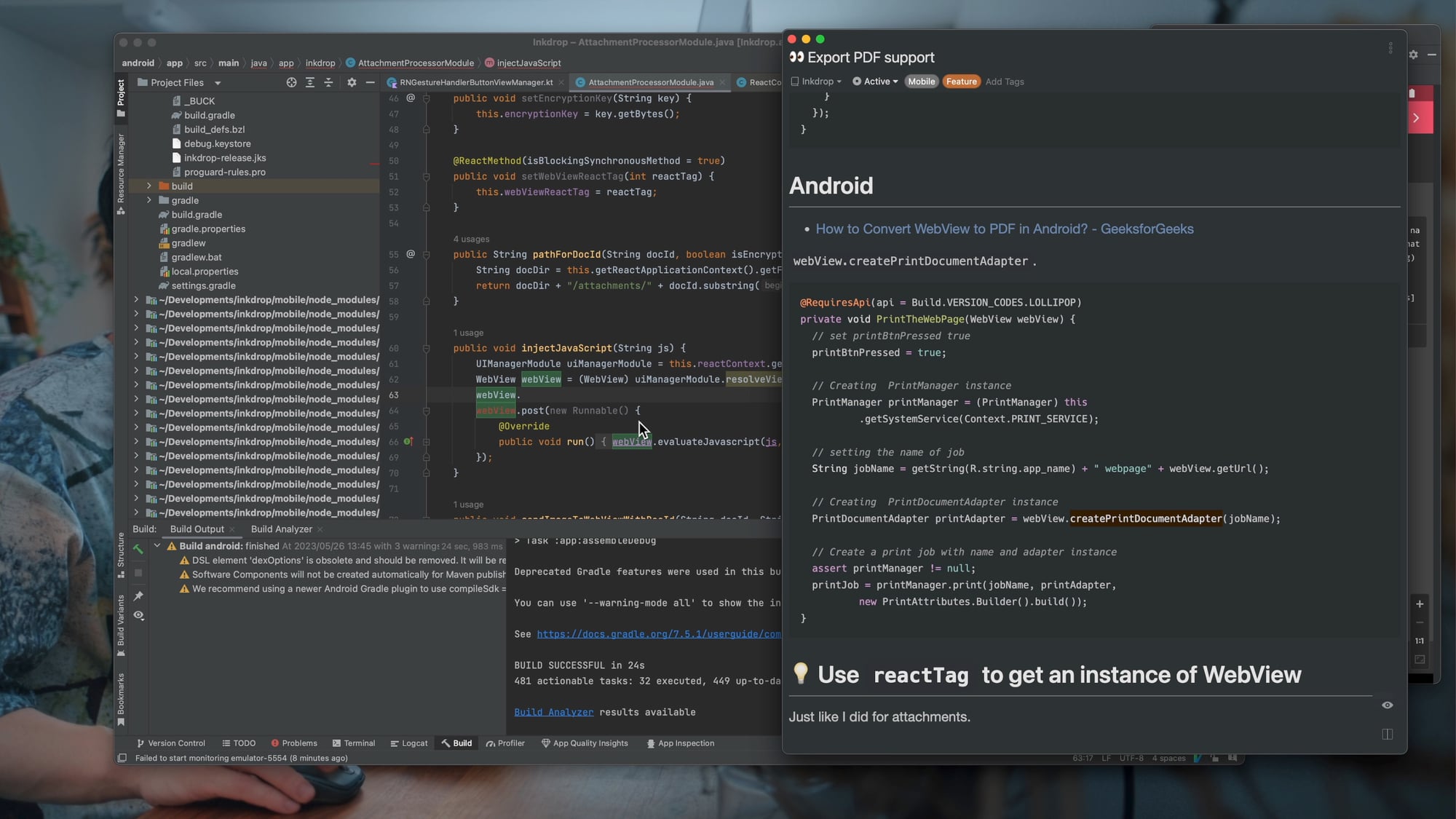
In the above image, I am trying to make my mobile app support PDF export and trying a snippet of code that I found in the researching phase. (Watch video).
Documenting not just my successes, but also my failures, helps me avoid repeating the same mistakes and provides a deeper understanding of the challenges involved. These records of exploration and validation are a crucial part of my tech note-taking workflow.
4. Reuse the knowledge
Throughout the note-taking process, my notes naturally transform into a robust knowledge base that can be reused for future projects. Here's how:
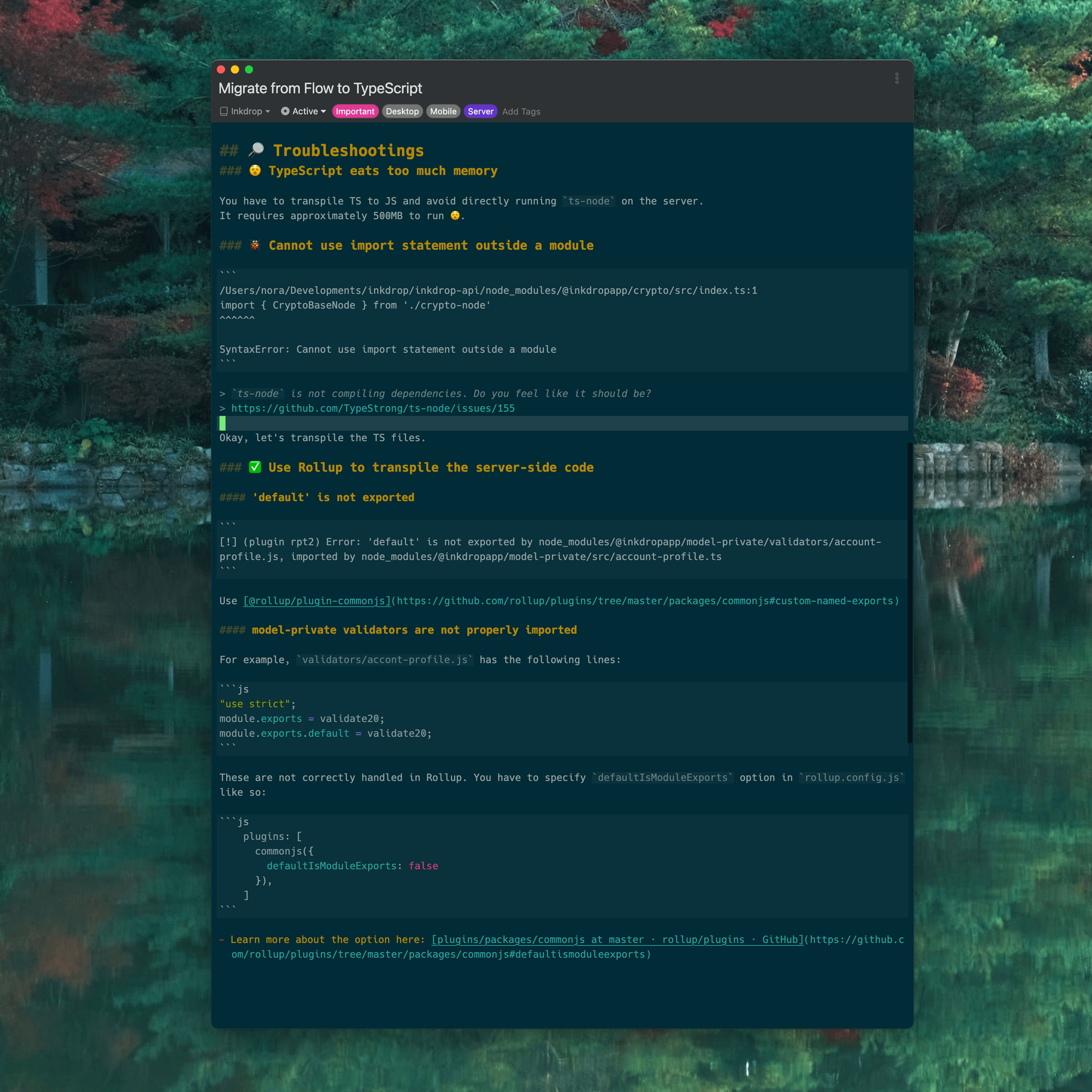
Refer to code snippets
Take for instance, when I was migrating from Flow to TypeScript in a large project, I kept referring back to my notes containing useful commands and macros. Instead of repeating the time-consuming task of searching for them each time, I could quickly reuse the snippets I'd noted earlier.
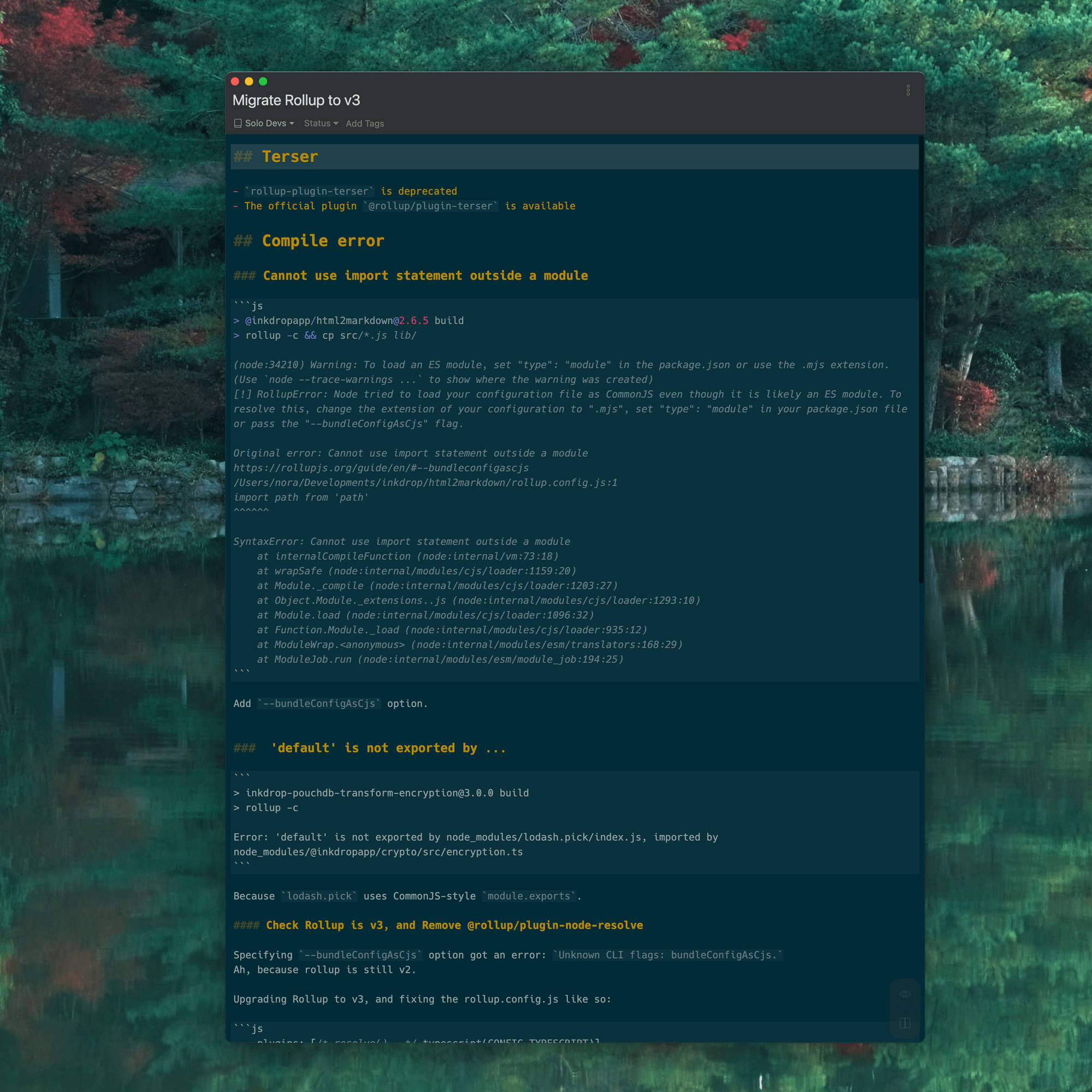
Learn from previous solutions to common errors
For example, I have multiple repositories still using Rollup v2. When migrating to v3, I can repeatedly turn to my notes, which document how I previously navigated the process. This saves me from re-learning the steps each time
Share what you learned
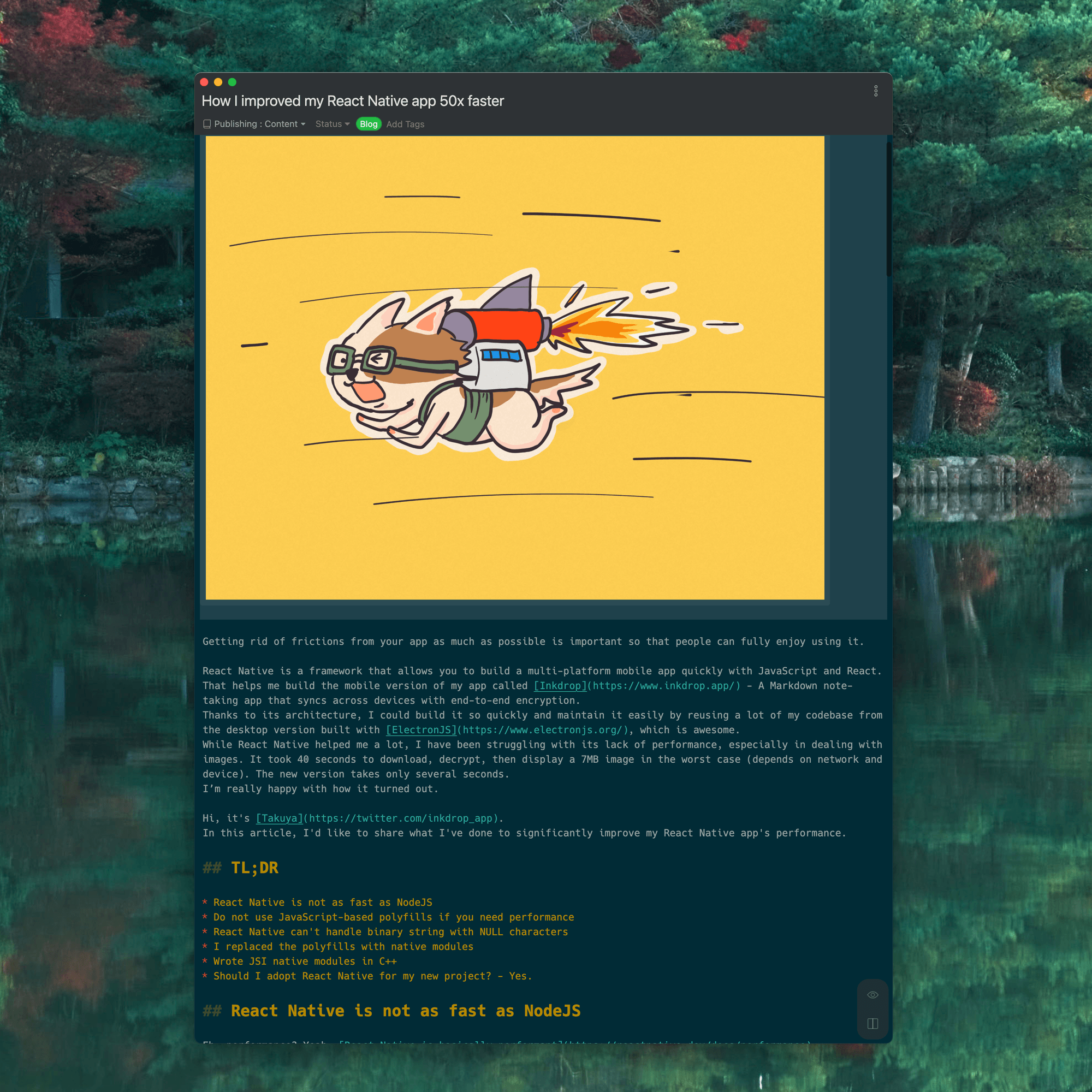
Note-taking isn't only for my personal reference. I also share what I've learned with others by publishing content based on my notes. This is a great way to give back to the developer community and it helps me attract potential customers by showcasing my skills and knowledge. It is like harvesting my knowledge from my notes to share with all of you.
For example, this article is about how I improved my React Native app 50x faster by replacing the polyfills with native modules (Read article).
Your efforts will pay off 💪
That's my process for taking tech notes. It is crucial for my daily coding workflow. These are four steps to my tech note-taking process: identifying the problem, researching solutions, validating them, and reusing the knowledge. I want you to remember that note-taking isn't about being perfect. Jot down as freely as you would in a sketchbook. Make your failures productive by the effective tech note-taking. The most important thing is to keep coding and writing. I hope it's helpful for improving your productivity.
Get help